Open source & free to self-host

Local Sandboxes + Control Plane
for AI Coding Agents

The control plane for accelerated, human-in-the-loop development. Run AI coding agents in isolated sandboxes. Review, fork, course-correct — ship 10x faster.

Open source · Self-host on Linux, WSL, or macOS
Handler Control Plane — manage AI coding agents in isolated sandboxes
Works with:
Claude Code Codex Gemini CLI OpenCode + any agent
Built on Firecracker — the microVM technology powering AWS Lambda

Stay in control. Ship 10x faster.

Handler keeps you in the loop while agents do the heavy lifting. Direct work, review output, fork approaches — ship features faster than ever.

Command centre

Visual canvas with built-in terminal for every agent. See what each one is doing, check output, review changes — all from one screen. You stay in the loop.

Built-in terminal Live metrics Draggable canvas

Instant, isolated sandboxes

Each agent gets its own secure environment. Firecracker microVMs boot in under 2 seconds with full isolation. No cross-contamination, no shared state, no surprises.

Full isolation <2s boot Docker + Firecracker

Fork, explore, decide

Not sure which approach is right? Fork the environment and try both in parallel. Review the results. Pick the winner. The human makes the call.

Git worktree forks VM snapshots Copy-on-write

Agents work while you sleep

Kick off work before bed. Every session persists — terminal output, scrollback, running processes. Come back in the morning and review what they built.

tmux sessions Auto-reconnect Full scrollback

Your tools, connected

MCP server registry, Git integration, custom Dockerfiles, agent config presets — Handler plugs into the stack you already use. No rip-and-replace.

MCP servers Git worktrees Port forwarding

Any agent, one workflow

Claude Code, Codex, Gemini CLI, OpenCode — or whatever ships next. Auto-detected, visually tracked, managed the same way. Use the best agent for each task.

Auto-detection Agent presets Vendor-agnostic

See it in action

A complete control plane for human-in-the-loop agent development.

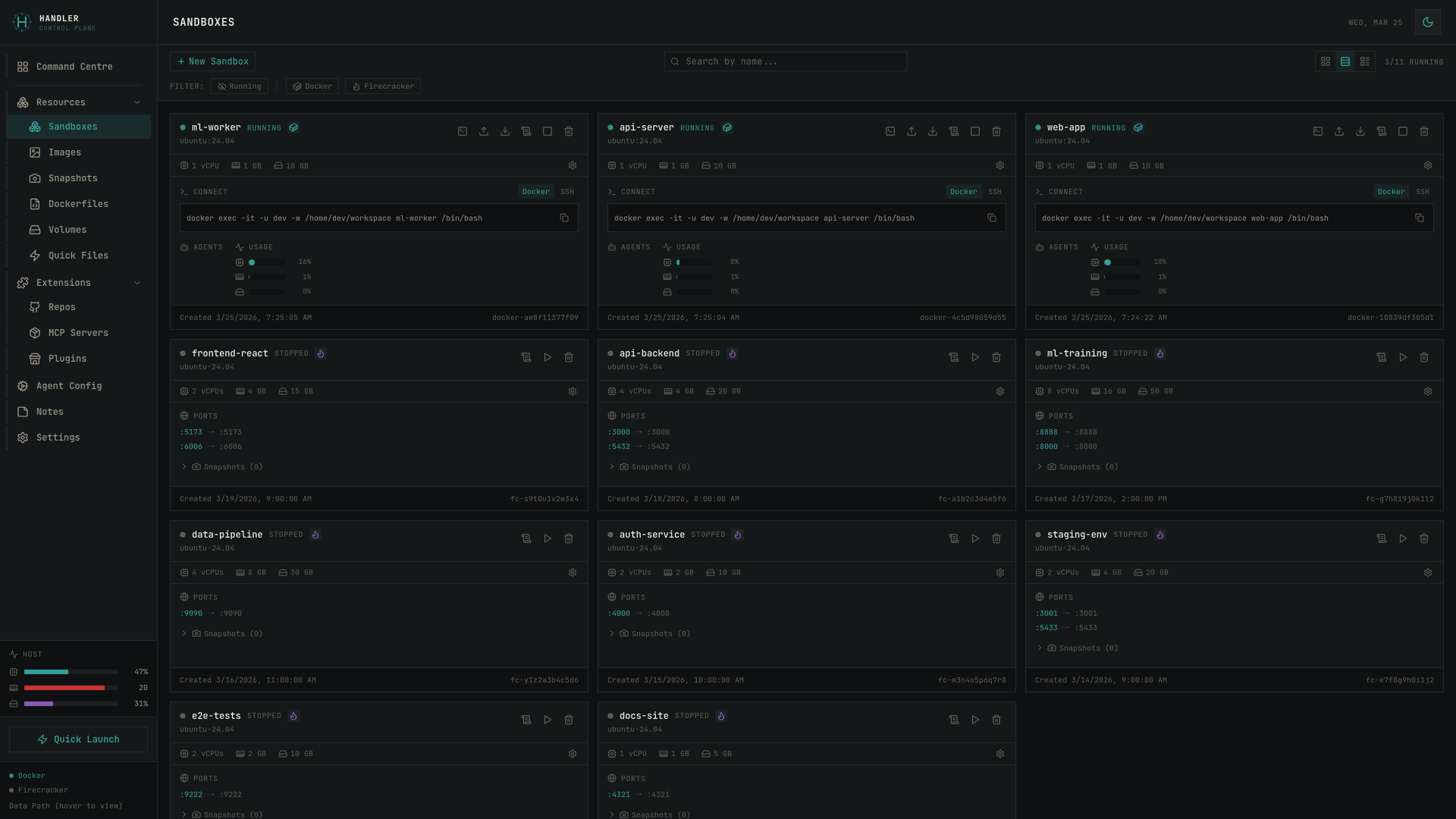
Manage isolated Firecracker VMs and Docker containers — each agent gets its own secure environment

Built-in terminals for every sandbox — tmux persistence, scrollback history, and live shell access

Visual canvas with draggable tiles, resource monitoring, and real-time agent tracking

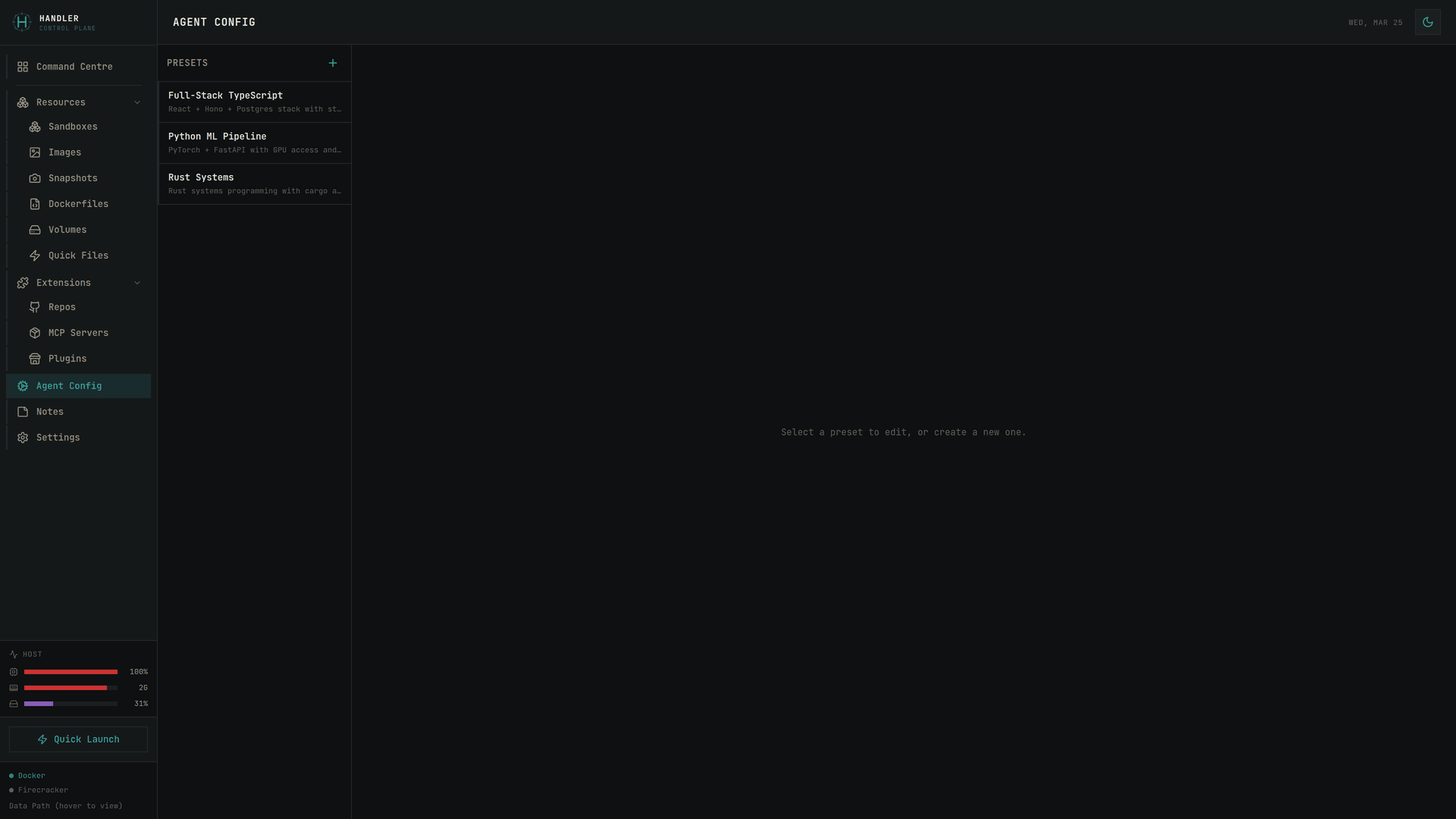
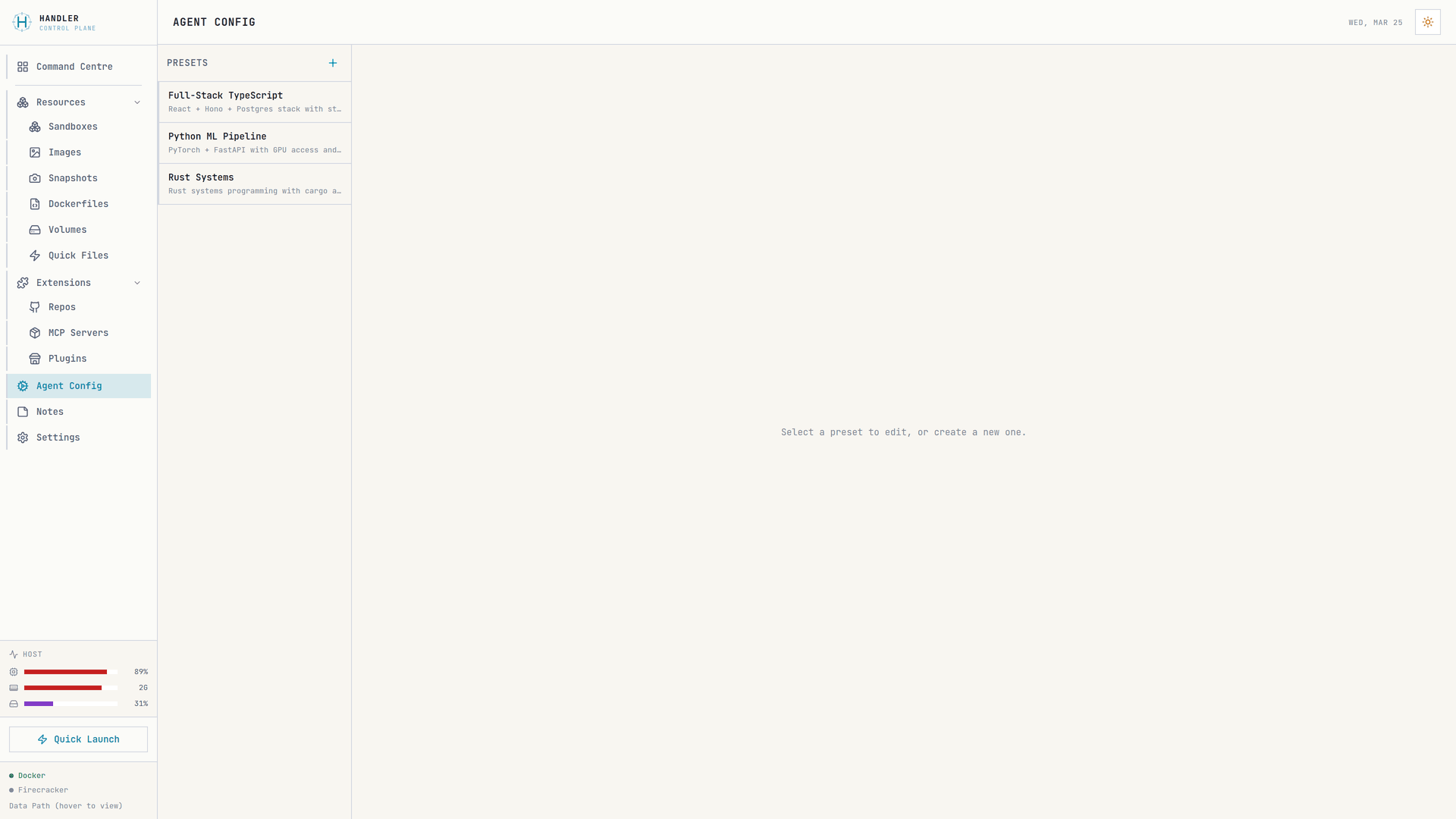
Configure agent presets — model, MCP servers, instructions, permissions, and environment variables

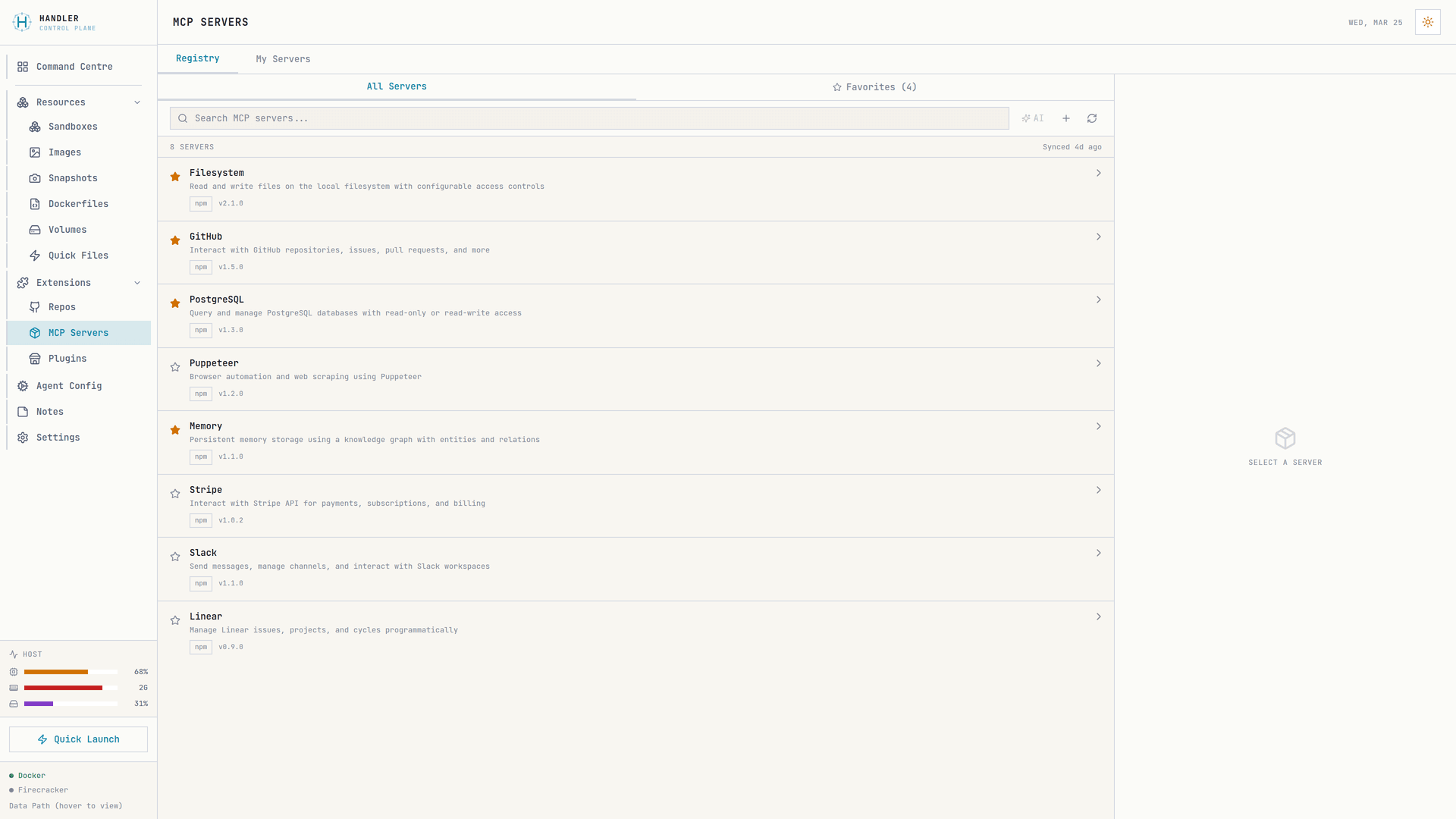
Browse, favorite, and deploy MCP servers from the registry directly into your sandboxes

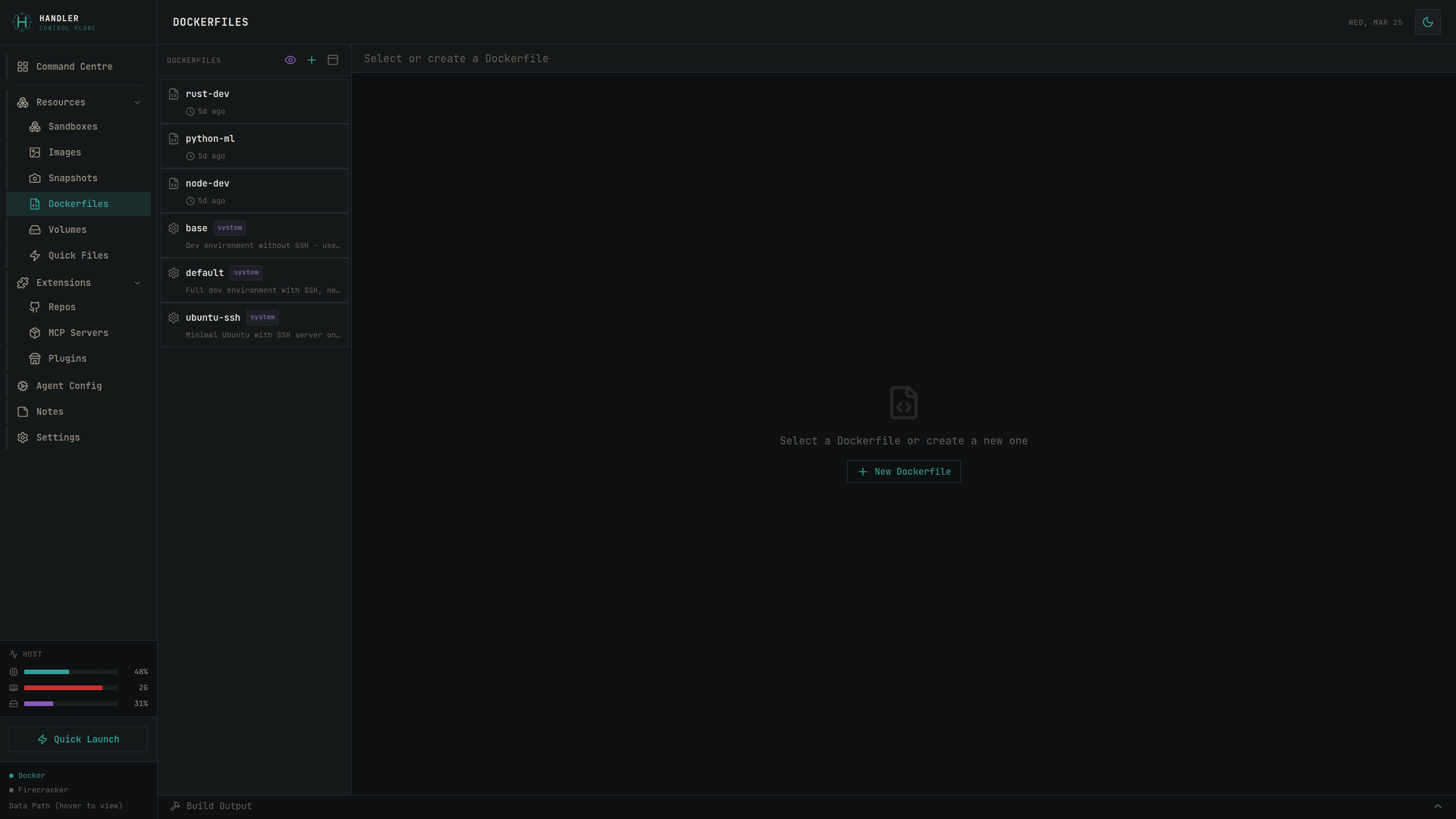
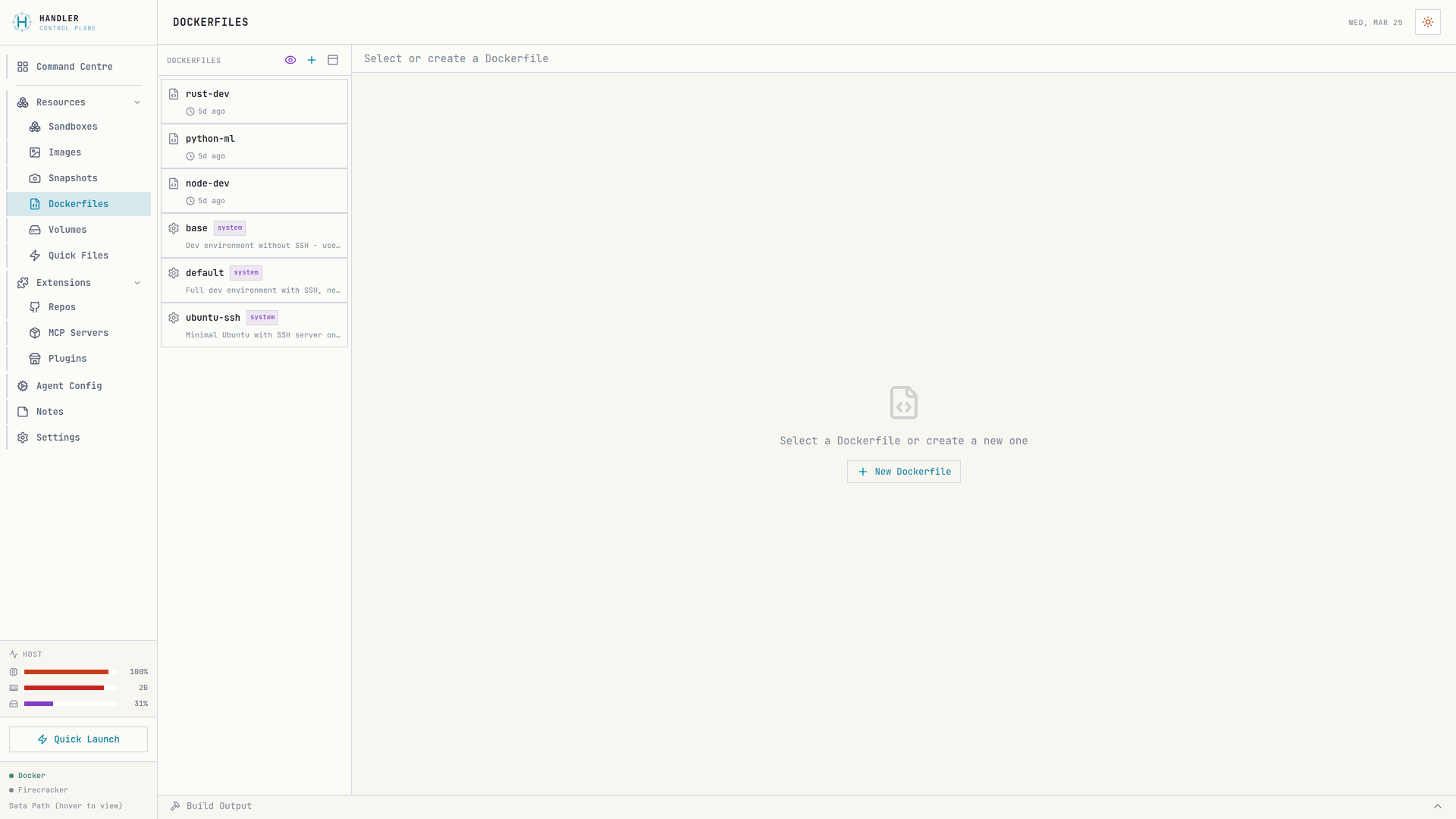
Custom Dockerfiles with system templates and one-click image builds

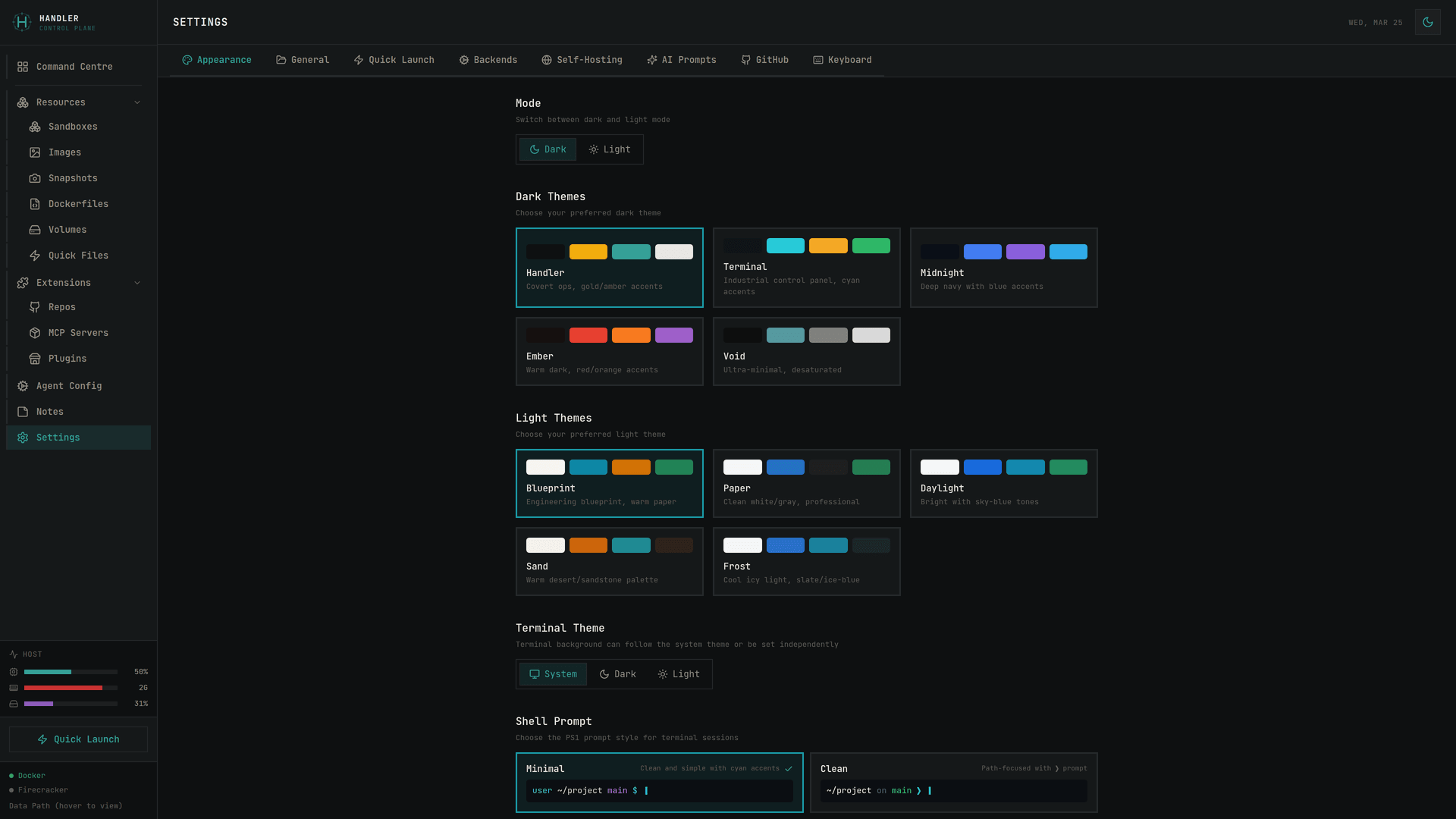
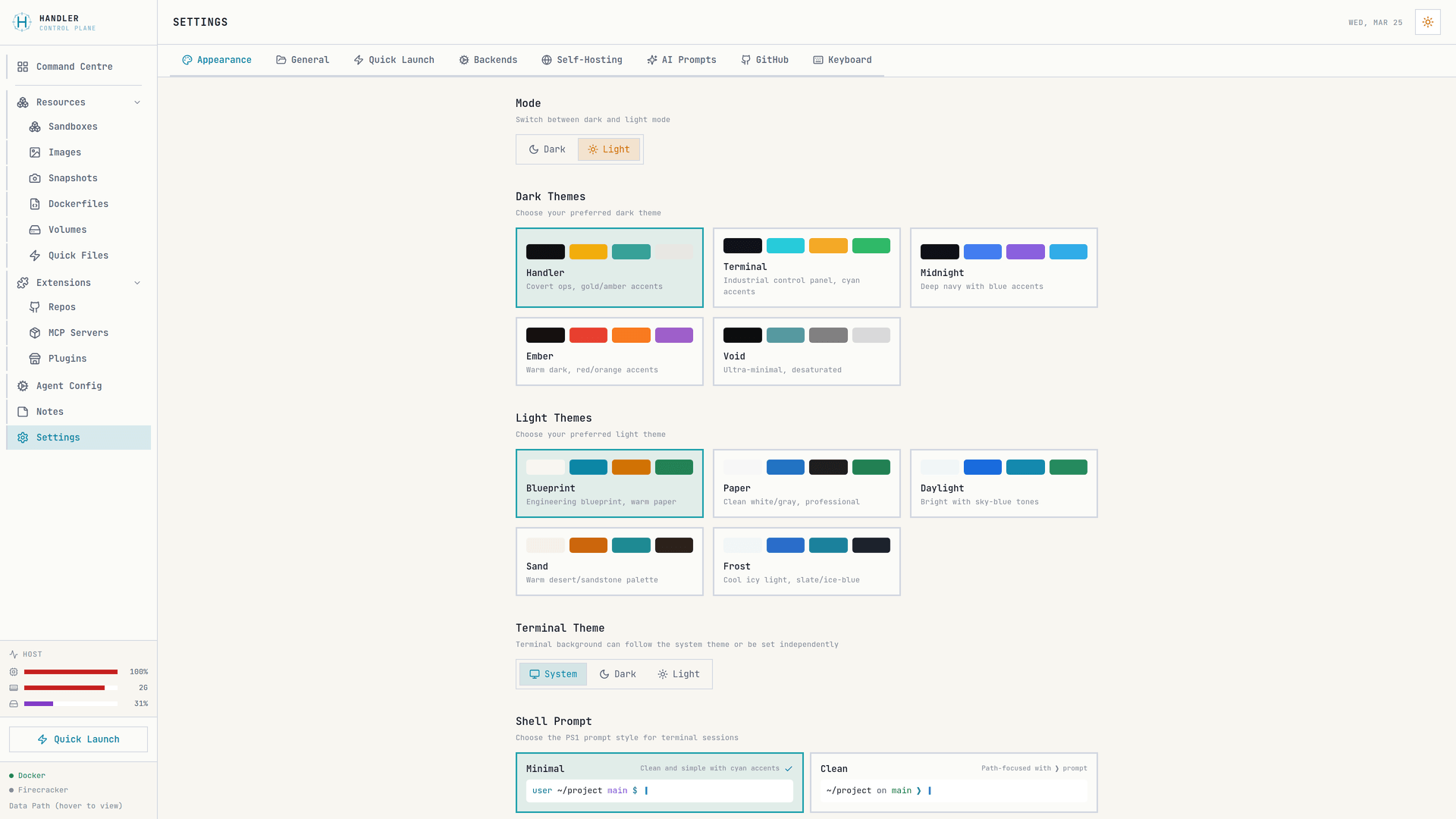
10 themes across dark and light modes, keyboard shortcuts, and backend configuration

Sandbox management Sandbox management
Built-in terminals Built-in terminals
Command Centre Command Centre
Agent Config presets Agent Config presets
MCP Server registry MCP Server registry
Dockerfile editor Dockerfile editor
Theme settings Theme settings

Human in the loop, not out of it

AI agents are powerful, but they need direction. Handler gives you the visibility to review what agents are doing, the tools to course-correct when needed, and the confidence that nothing ships without your approval.

  • Built-in terminal for every sandbox — see exactly what agents are doing
  • Fork environments to explore alternatives before committing
  • Agent config presets — control model, permissions, tools per task
Handler Agent Config — preset editor

Open source. Free forever.

Self-host on your own hardware. Full power on Linux with Docker + Firecracker microVMs. Docker containers on macOS and WSL. Your code never leaves your machine.

  • Docker + Firecracker VMs on Linux (full isolation)
  • Docker containers on macOS and WSL
  • Canvas, terminal, agent detection, forking
  • MIT licensed · No accounts · Works offline
$ git clone https://github.com/Launchable-AI/handler.dev

Runs where you work

Docker everywhere. Firecracker on Linux and WSL.

🐧
Linux
Docker + Firecracker
Full feature set
WSL
Docker + Firecracker
KVM support required
macOS
Docker containers
Canvas, terminal, agents

Common questions

What does "human-in-the-loop" mean here?

AI agents are powerful but imperfect. Handler gives you the visibility and tools to direct their work, review their output, and course-correct before anything ships. You're the handler — agents execute your intent, and you make the final calls.

I already use tmux / terminal tabs. Why do I need this?

tmux doesn't detect which agents are running, show you resource usage, let you fork a workspace with one click, or give you a visual overview of all your sessions. Handler is what comes after you outgrow terminal tabs — and it gives you a visual overview of all your sessions.

Does it work on macOS?

Yes. Docker containers work on macOS. The full UI, terminal persistence, canvas workspace, and agent detection all work. Firecracker VMs are Linux-only (they require KVM), so VM support is available on Linux and WSL.

Is this just a Docker GUI?

Handler includes Docker support, but it's built for a specific workflow: accelerated development with AI coding agents. Agent detection, MCP server registry, config presets, environment forking, and the command centre canvas are features you won't find in a general-purpose container manager.

Ready to ship faster?

Self-host for free in 60 seconds.

terminal
$ git clone https://github.com/Launchable-AI/handler.dev
$ cd handler.dev
$ pnpm install && pnpm dev
Open localhost:5173. Create your first sandbox. Start an agent.

Requires Node 22+ and pnpm · Full power on Linux (Docker + Firecracker) · Docker on macOS